Keep every coding
agent on course.
FlightDeck runs several AI coding agents side by side, each on its own Git branch in its own worktree, and shows all of them in one window. Run them on your laptop, or hand them to an always-on worker and keep FlightDeck Desktop as the screen. You stay in control of every commit, merge and pull request.
macOS · Linux · Windows — free & open source (MIT)
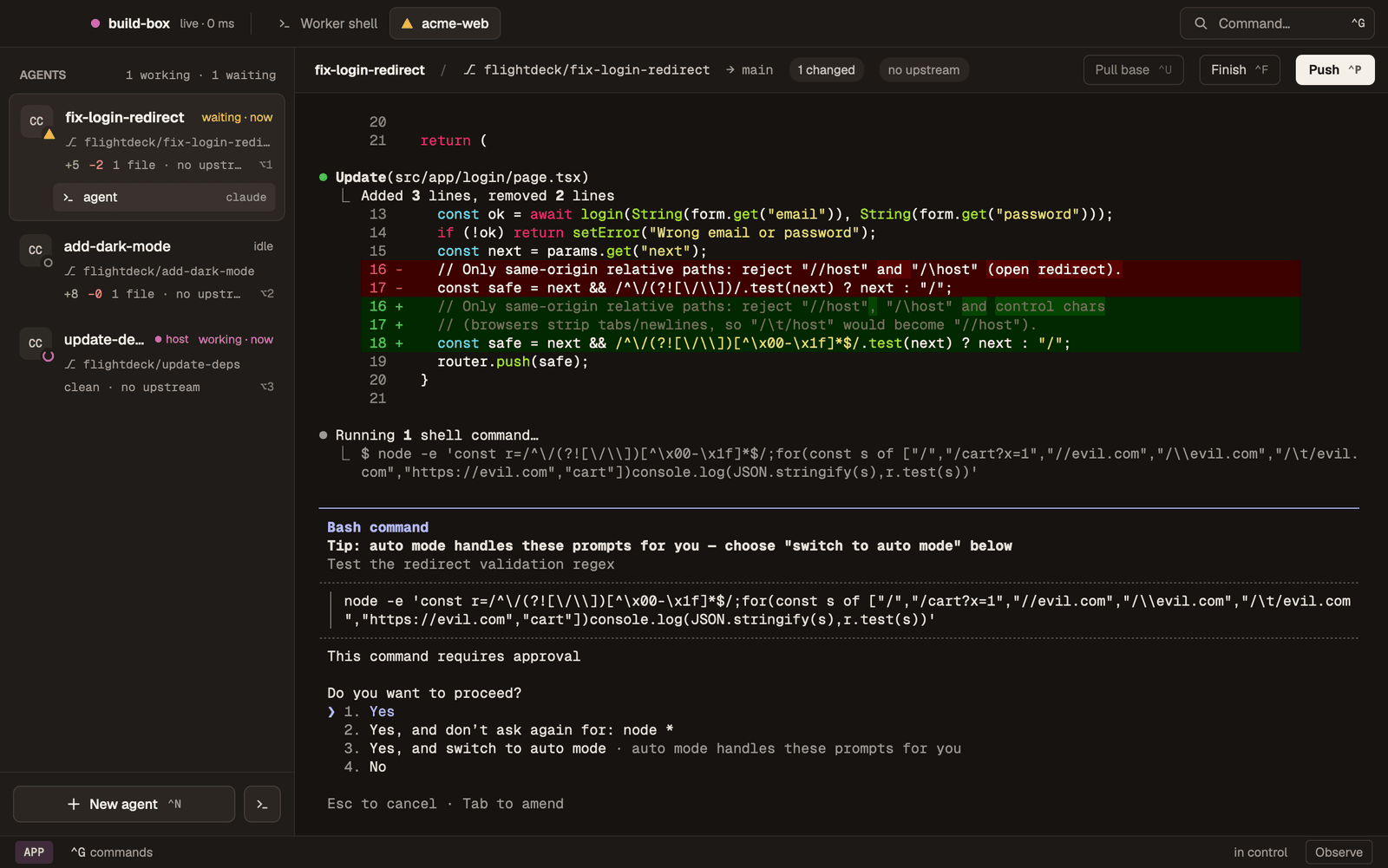
FlightDeck Desktop driving a worker: one row per agent with its live status, the selected agent's terminal, and the branch's git state along the bottom.
Two ways to run it.
Same app, same shortcuts. The only difference is where the agents run, and you can switch any time.
Desktop + a worker
Agents run on an always-on Mac or Linux machine. Your laptop is only the screen: close the lid and they keep working.
- flightdeck worker start on the worker
- Pair FlightDeck Desktop with a 4-digit code
- Open a project and start agents as usual
Desktop on its own
Agents run on your own computer. Nothing else to set up, and you can add a worker later.
- Download FlightDeck Desktop
- Open any Git repository
- Press Ctrl-n, pick an agent, name the task
Run multiple agents without the chaos.
Running one AI agent is easy. Running a fleet without them clobbering each other is not — so FlightDeck isolates every task and surfaces every status.
One branch per agent
Each agent gets its own Git worktree and branch under .flightdeck/. Agents work at the same time and never touch each other's files.
Always-on workers
Put the agents on a spare Mac or Linux box over Tailscale. The Desktop is the screen, and it still notifies you when the window is closed.
Know who needs you
Every agent shows whether it is working, waiting or done, from the agent's own lifecycle events. Mission control puts the ones waiting on you first.
You own the history
FlightDeck never commits, rewrites history, force-pushes or opens pull requests. It pushes your branch when you ask and hands you the PR link.
Any agent, any keyboard
Claude Code, Codex, OpenCode and Cursor out of the box, or add your own. Every action is one shortcut or one search away in the command palette.
Room to grow
When you need more: run agents in rootless containers, control FlightDeck from a browser or your iPhone, and hook into every worktree's lifecycle.
Up and running in minutes.
Download the Desktop app, open any Git repository and press Ctrl-n. No config required. Install the CLI on the machine you want as a worker, or to use FlightDeck from a terminal.