FlightDeck
FlightDeck runs several AI coding agents side by side: Claude Code, Codex, OpenCode, Cursor, or your own. Every agent gets its own Git worktree and branch, so two agents never edit the same files, and you watch and steer all of them from one window.
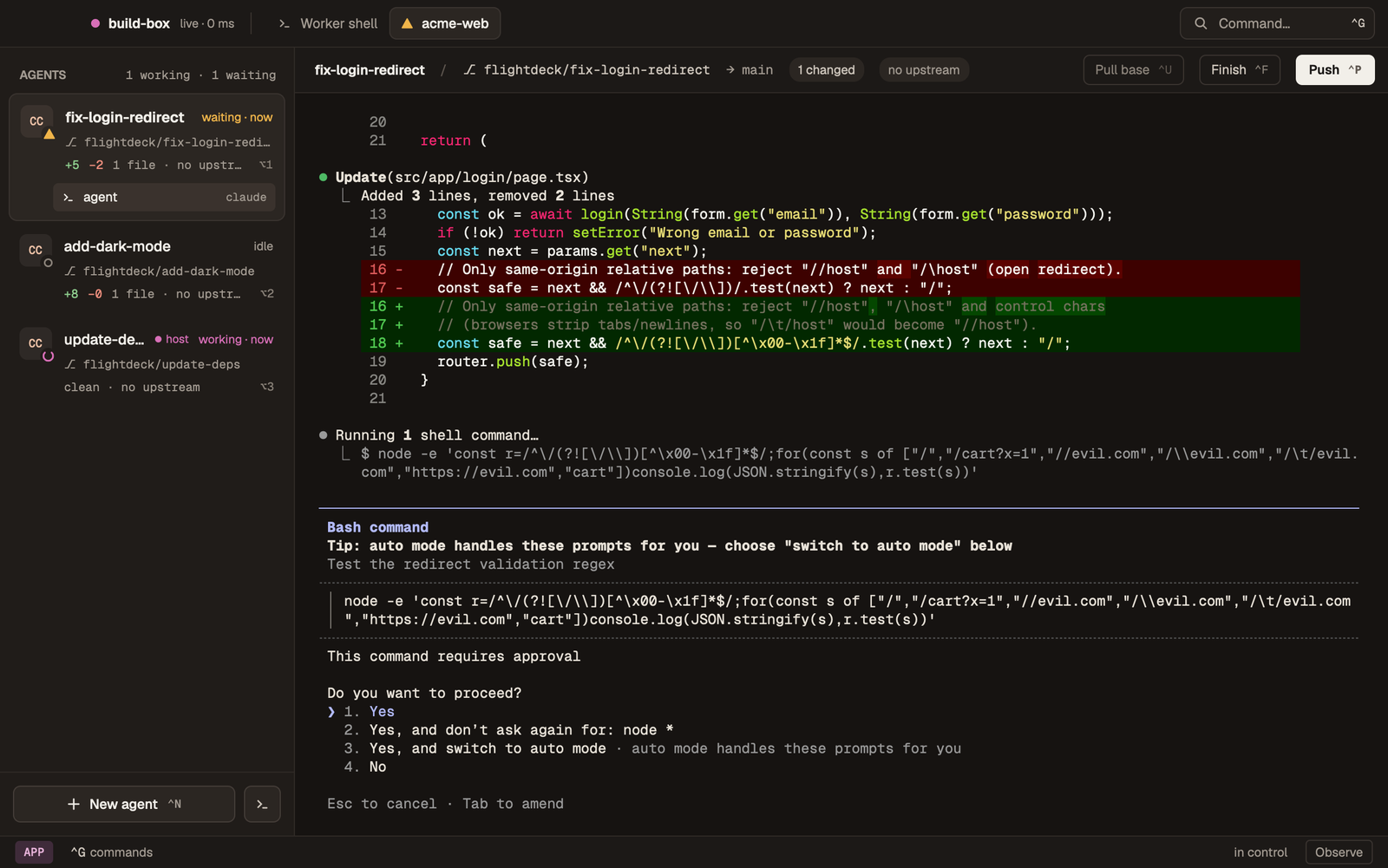
FlightDeck Desktop driving a worker. Each sidebar row is an agent on its own branch.
Pick a setup
There are two ways to run FlightDeck. Both use the same app and work the same way. The only difference is where the agents run.
Agents run on an always-on Mac or Linux machine. Your laptop is only the screen, so you can close the lid and the agents keep working.
Desktop on its ownAgents run on your own computer. Nothing else to set up. You can add a worker later without changing how you work.
| Desktop on its own | Desktop + a worker | |
|---|---|---|
| Agents run on | your computer | the worker |
| Agents keep going while your laptop sleeps | no | yes |
| What you need | the Desktop app, Git, an agent CLI | the same, plus a Mac or Linux machine for the worker and Tailscale on both |
| Time to set up | about 5 minutes | about 15 minutes |
Not sure? Start with Desktop on its own. The worker quickstart begins with the same install.
How it works
The sidebar shows what every agent is doing: working, waiting for you, or done. FlightDeck notifies you when one needs input, so you can leave them alone until then. When an agent's work is ready, you push the branch and open the pull request as usual.
FlightDeck never commits, rewrites history, force-pushes, or opens pull requests for you. You and your agents make the commits. Core Concepts explains the rest in five minutes.
The rest of the docs
You don't need anything beyond Start Here and Everyday Use to work with FlightDeck. Containers, hooks, configuration, the browser interface and the iPhone app are under Advanced in the sidebar, and search finds every page.
FlightDeck runs on macOS, Linux and Windows. A worker runs on macOS or Linux.