FlightDeck Remote
FlightDeck Remote is the companion iOS app for FlightDeck. Pair it to your Mac — or to several Macs at once — and you can watch every agent, answer their questions, run a shell, and drive guarded Git actions — from your phone, wherever you are.
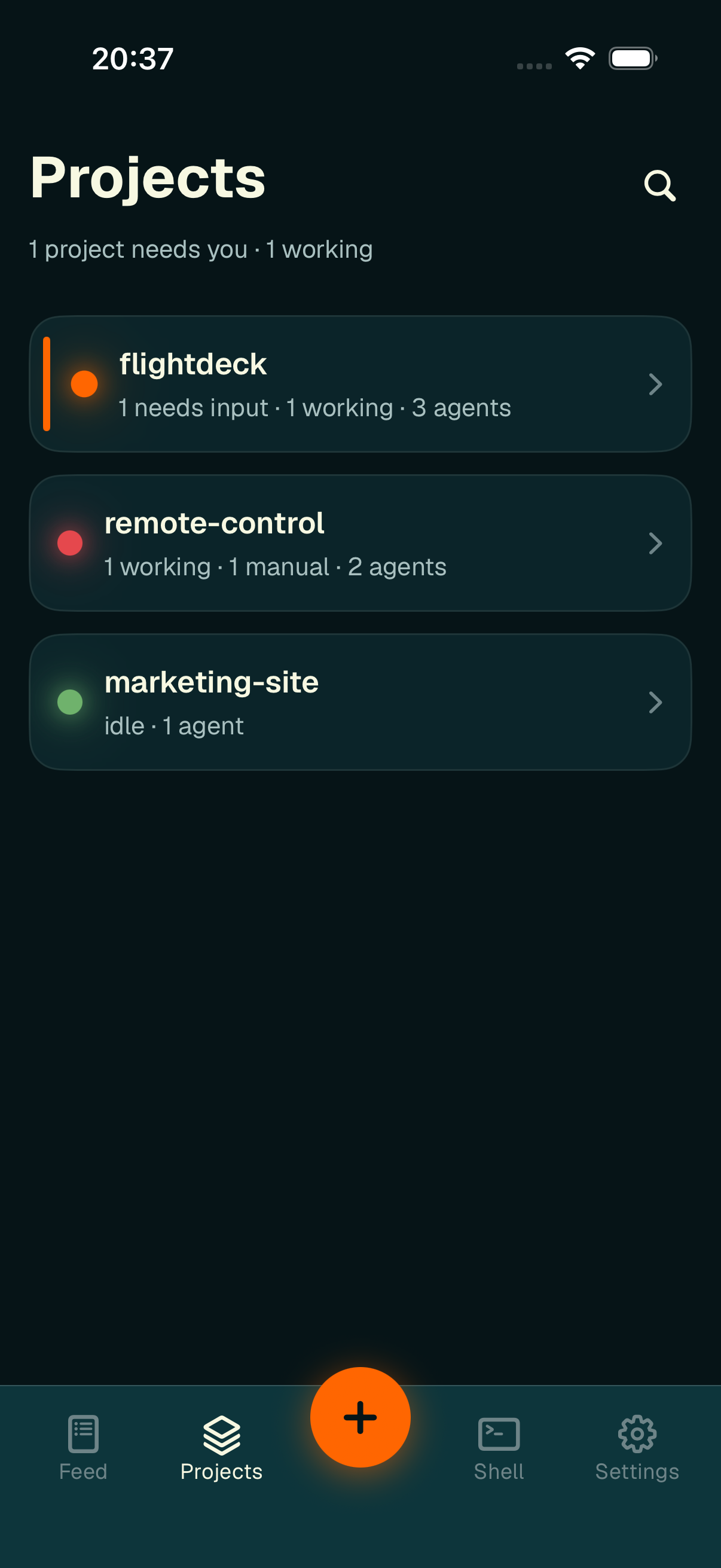
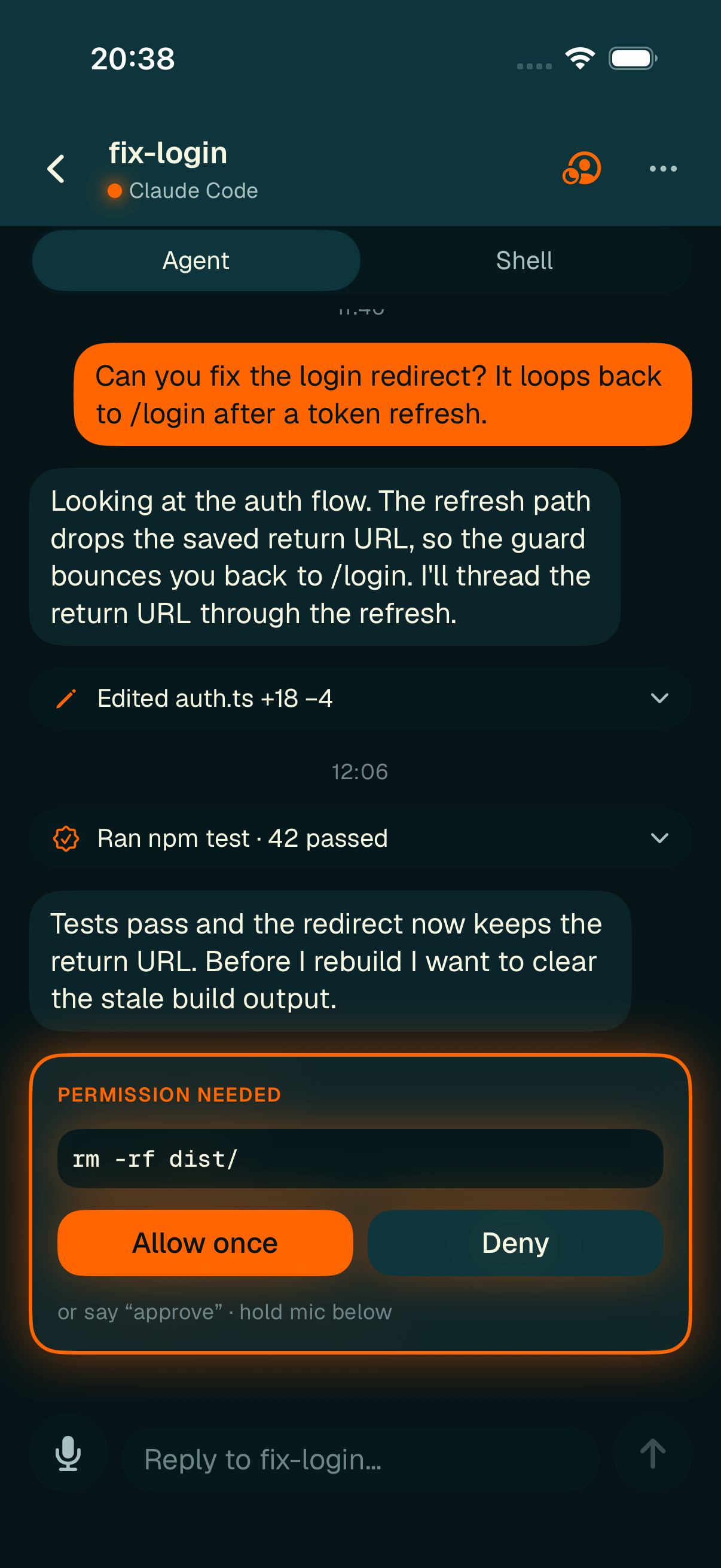
FlightDeck Remote — your agent fleet in your pocket.
What you can do from your phone
- Monitor — see every project and agent across all your paired Macs in one Feed, with their status and Git state at a glance; get push notifications when an agent finishes or needs you.
- Chat — read a cleaned-up transcript, reply, and approve or deny permission prompts inline — including hands-free in Focus mode.
- Control — start new agents, restart them, set a manual status, and run guarded Git actions (pull base, merge back, abandon).
- Shell — open a live terminal in any worktree with an on-screen key bar.
How it connects
Your phone never talks to your Mac directly. Both connect to a hosted relay, and everything between them is end-to-end encrypted: the relay only routes opaque ciphertext by pairing ID and never holds the keys to read it. When you pair several Macs, each is its own encrypted channel — but they all share the one device identity on your phone, so adding or removing a Mac never touches the others.
Availability
To use it you'll:
- Enable Remote on the desktop — it's off by default. Set
enabled = trueunder[remote]in your FlightDeck config, or run Pair Phone from the command palette. Remember the default relay is not publicly accessible — setrelay_urlto your own relay first. - Pair your phone — scan a QR code or type a 4-digit code. Repeat on each Mac you want to drive (up to four).
Start here
Connect the app to one Mac — or several — over the encrypted relay.
The FeedEvery project across all your Macs in one attention-first list.
Monitor Projects & SessionsRead the projects list, session rows, status pills, and Git indicators.
Chat, Focus & VoiceReply to agents, resolve permission prompts, and go hands-free.
Control SessionsStart, restart, and manage agents and their worktrees.
Looking for a remote machine?
FlightDeck Remote is the phone app. To run agents on a spare Mac or Linux box and control them from FlightDeck Desktop, see Run a FlightDeck Worker.
What's not on the phone (v1)
Pushing branches and opening PRs stay on the desktop / your agent (the app holds no GitHub token). Also out of scope for v1: several side-by-side shells, and full-screen terminal UIs (vim, top). Agents only run while FlightDeck is running on your Mac.