Controlling Sessions
Beyond watching and chatting, FlightDeck Remote lets you act: start new agents, restart them, set a manual status, and run guarded Git actions — all over the encrypted link, and all honest about whether they actually went through.
The session actions sheet
Tap the ellipsis on a session row (or the one in the chat header) to open the Session actions sheet. Actions are grouped, and the safe ones are always kept apart from the destructive ones.
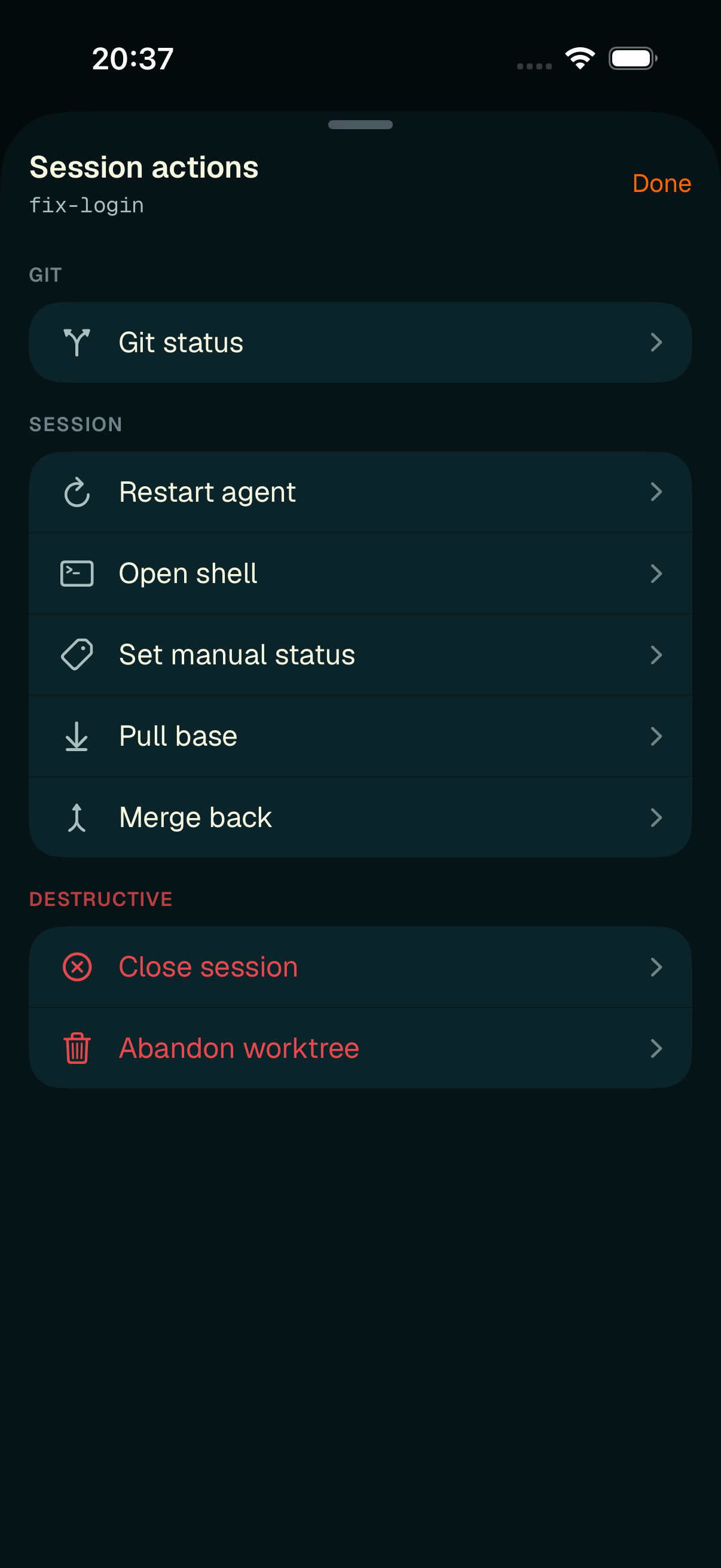
Session actions — safe actions grouped above, destructive ones set apart in red.
- Git — Git status (read-only; see below).
- Session — Restart agent, Open shell, Set manual status, Pull base, Merge back.
- Destructive (in red) — Close session, Abandon worktree.
Start a new agent
Tap the center + in the tab bar, or New agent session on a project's sessions list. One screen collects everything:
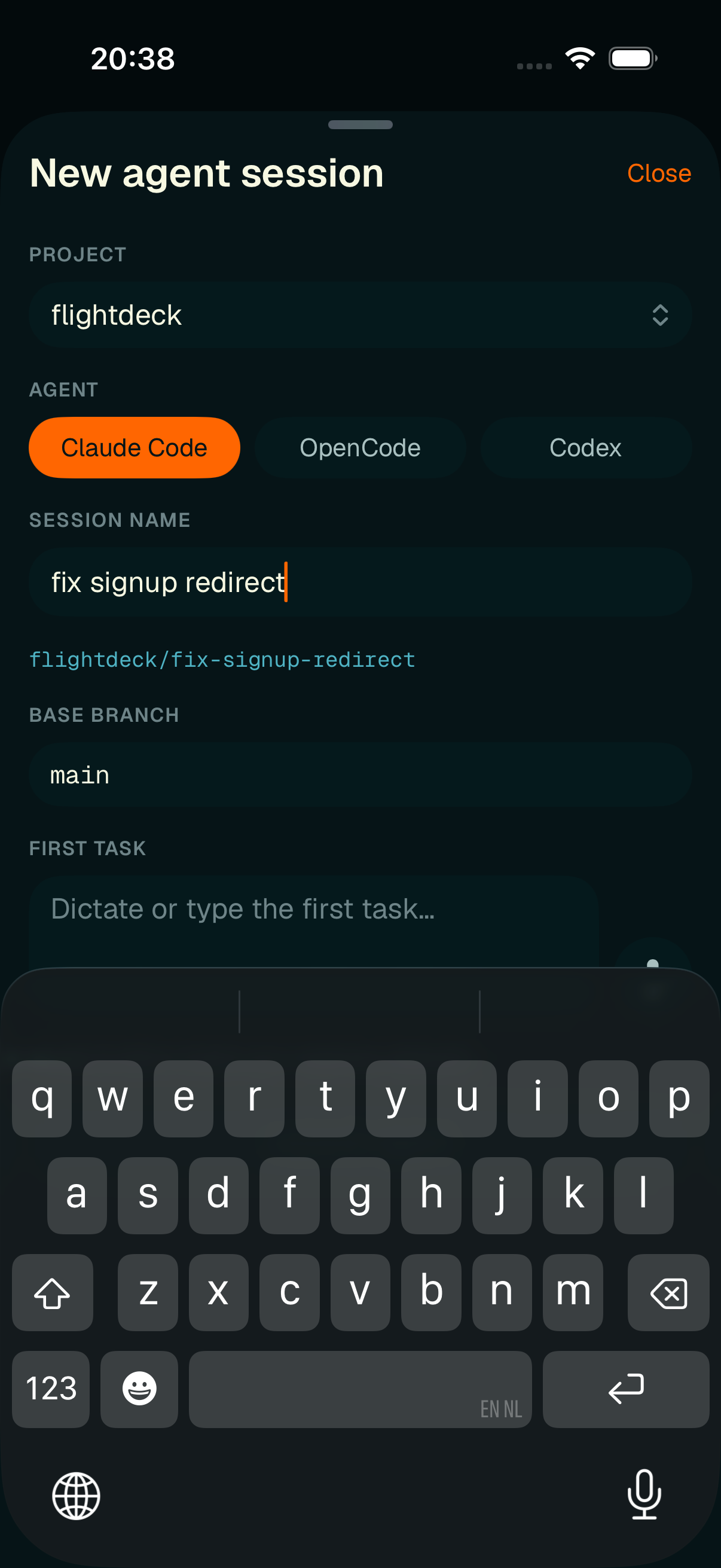
Starting an agent — the branch slug previews live as you type the name.
- Agent type — Claude Code, OpenCode, Codex, or Cursor,
- Session name — with a live
flightdeck/<slug>branch preview that mirrors the desktop's slug rules, - Base branch — defaults to
mainor the project's known base, - First task — type it or dictate it,
- Project — a picker appears when more than one project is open.
Model and effort inherit your desktop defaults. Launch is disabled until the required fields are filled and the link is live; on success the sheet dismisses and the new session arrives in the list.
Session actions in detail
- Restart agent — relaunches a fresh agent process in the same worktree and branch, transcript preserved. Confirmed first.
- Set manual status — attaches a cyan status label (with preset chips like reviewing, blocked, on hold). It clears automatically on the agent's next real state change.
- Pull base —
git pull --rebaseon the base; conflicts stop and are reported. Confirmed first. - Merge back — a guarded local merge into the base. If the worktree is dirty or drifted, an extra warning appears. Nothing is pushed. Confirmed first.
- Close session — stops the agent (Ctrl-C first; never a blind force-kill).
- Abandon worktree — the one truly destructive action. It deletes the worktree and its uncommitted changes (the branch stays), and requires you to type the exact session name to enable the button.
Read-only Git status
The Git status row opens a read-only summary that stays reachable even while commands are paused — there's nothing to send, so the desktop just pushes the status to you.
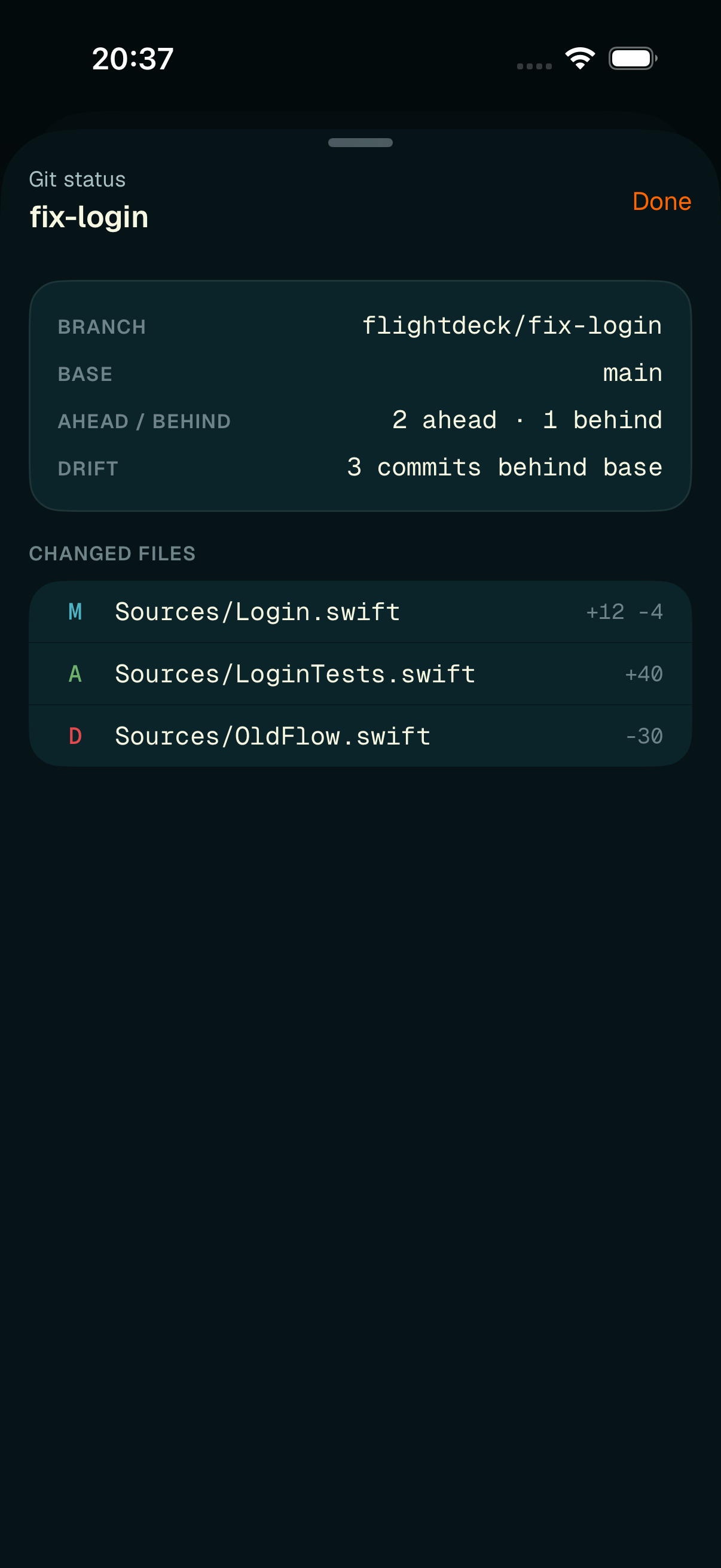
Git status — branch, base, ahead/behind, drift, and a per-file change list.
It shows the branch, base, ahead/behind, drift, and the list of changed files with per-file line deltas — or "Clean" when there's nothing uncommitted.