Monitoring Projects & Sessions
The heart of FlightDeck Remote is a live, at-a-glance view of every project and agent on your paired Macs. This page covers the tab bar, the projects list, and the sessions list.
The tab bar
Along the bottom sits a five-slot bar: Feed · Projects · [ + ] · Shell · Settings. The raised orange + in the center is a shortcut to start a new agent from anywhere — it's not a tab.
- The Feed is the cross-machine home: every project on all your paired Macs, interleaved and attention-first. It carries an unread badge counting projects with new events; opening a row clears it.
- The Projects tab is a focused, single-machine view of one Mac (described below).
Projects list
The Projects tab lists every project on one Mac, with a plain-language roll-up at the top (e.g. "1 project needs you · 1 working"). For an overview across all your Macs at once, use the Feed.
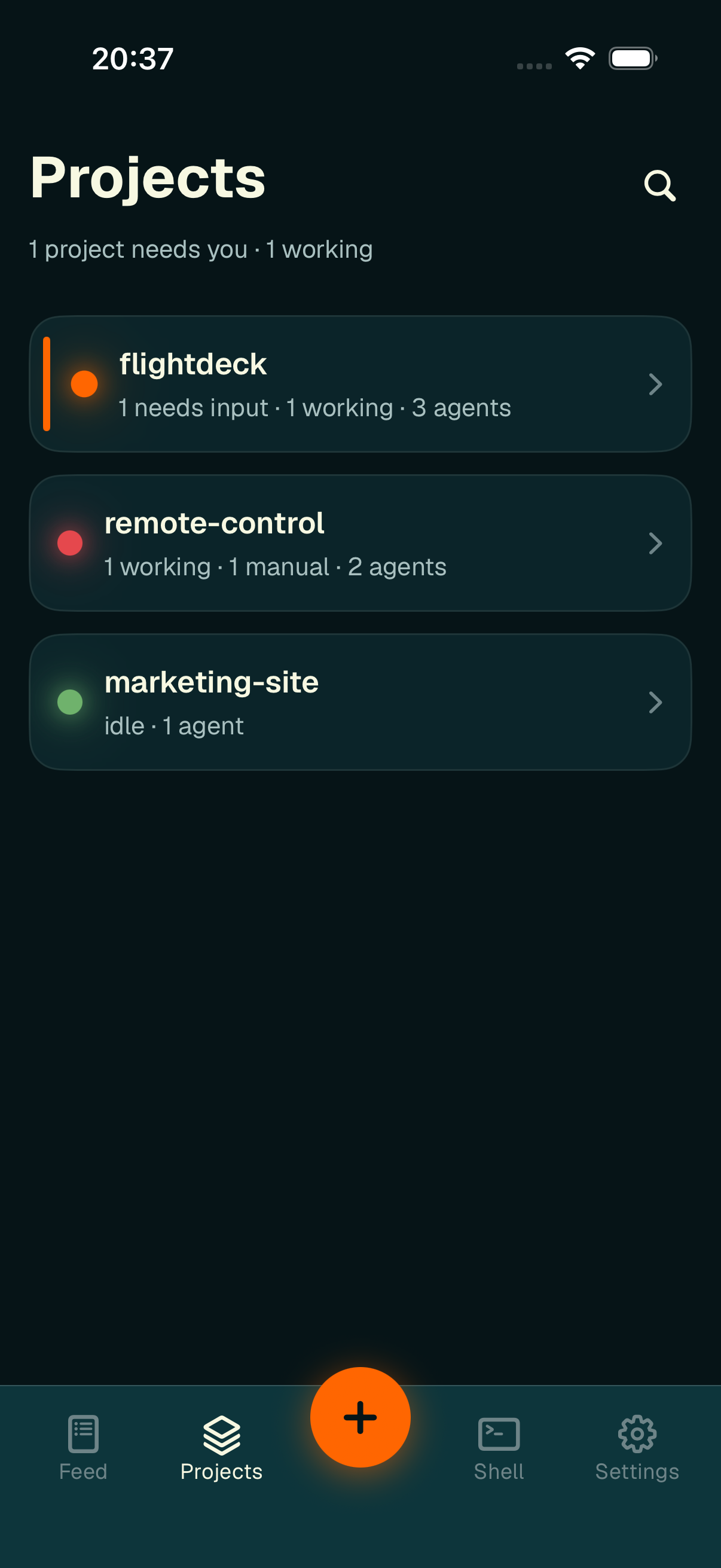
Each project card shows a glowing status dot and a summary of its agents.
Each card shows:
- a status dot — orange if any agent needs input, red if any is working, green/dim if idle,
- the project name,
- a roll-up summary like "1 needs input · 1 working · 3 agents",
- a colored left accent when the project needs you.
Tap the magnifier to reveal a search field that filters projects by name. Tap a card to open its sessions.
Sessions list
Tapping a project opens its agent sessions. The header shows a back button to Projects, the project's status dot and name, and the agent count.
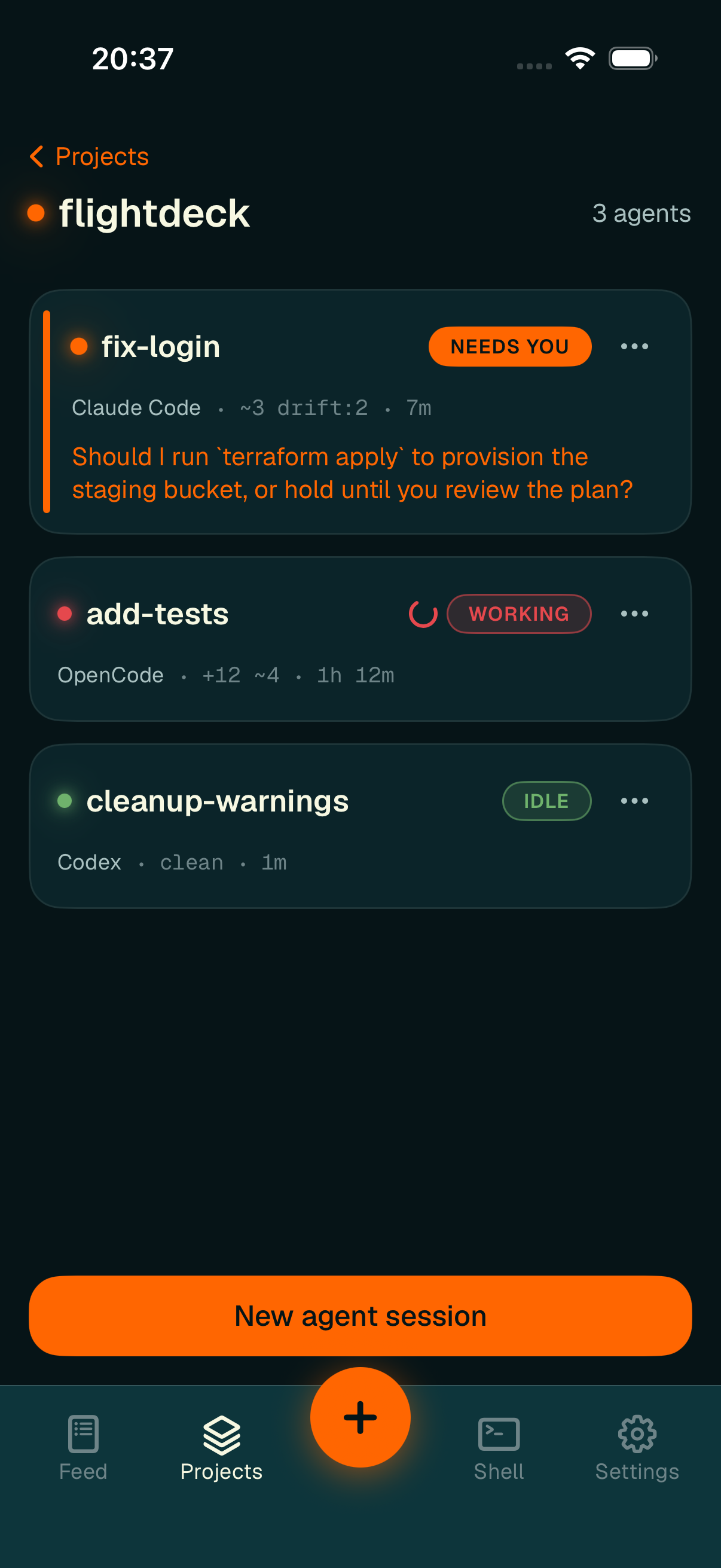
Session rows — status pill, agent type, compact Git indicators, and running time.
Each session card shows:
- a status dot and a status element — an animated spinner + WORKING pill, a filled NEEDS YOU pill, or a plain IDLE / manual pill,
- the session name,
- a second line with the agent type (Claude Code / OpenCode / Codex /
Cursor), the
compact Git indicators (
~3 drift:2,+12 ~4,clean,no-upstream), and the running time, - for a waiting agent, a preview of its pending question in orange,
- an ellipsis button that opens the session actions.
Sessions are sorted so the ones that need you come first, then working, then manual, then idle — so the top of the list is always what matters most.
Tap a session card to open its chat. The New agent session button at the bottom (and the center +) opens the new-agent sheet.