Agent Chat, Focus Mode & Voice
Tapping a session opens its chat — a cleaned-up conversation with the agent, where you can read what it's doing, reply, and resolve the permission prompts that would otherwise block it on your desktop.
The transcript
The chat is a readable transcript, never a raw terminal dump. It shows prose bubbles for you and the agent, plus collapsible activity pills that summarize what the agent did — tap one to expand its detail.
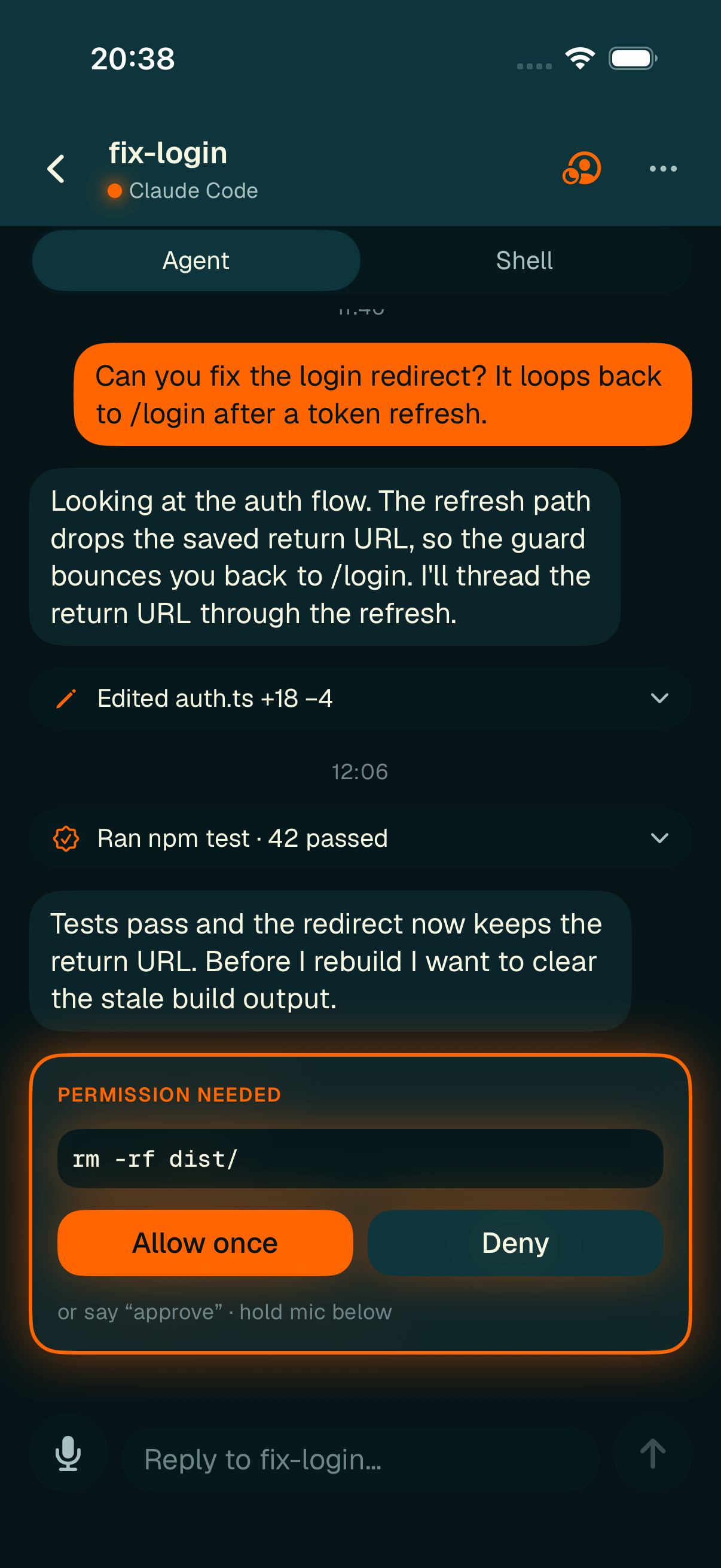
A cleaned transcript with activity pills and an inline permission card.
The header shows the session name, its status and agent type, a focus-mode button (when the agent is waiting on you), and a session-actions ellipsis. An Agent · Shell switcher lets you drop into the session's shell in place.
Permission prompts
When an agent needs approval to run something, it appears inline as an orange-bordered permission card with the command in monospace and Allow once / Deny buttons. Resolving shows a spinner while it sends, then the result. If the prompt was already answered on your desktop it's marked stale, and a failed send offers a retry.
Replying
The compose bar at the bottom has a growing text field, a send button, and a mic button. Sends are optimistic — your message shows as "Sending…" immediately, and a failed send is clearly marked "not delivered — retry" rather than silently dropped.
Focus mode
When an agent is waiting on a decision, tap the focus button in the chat header to enter Focus mode — a full-screen, eyes-free view built for answering fast.
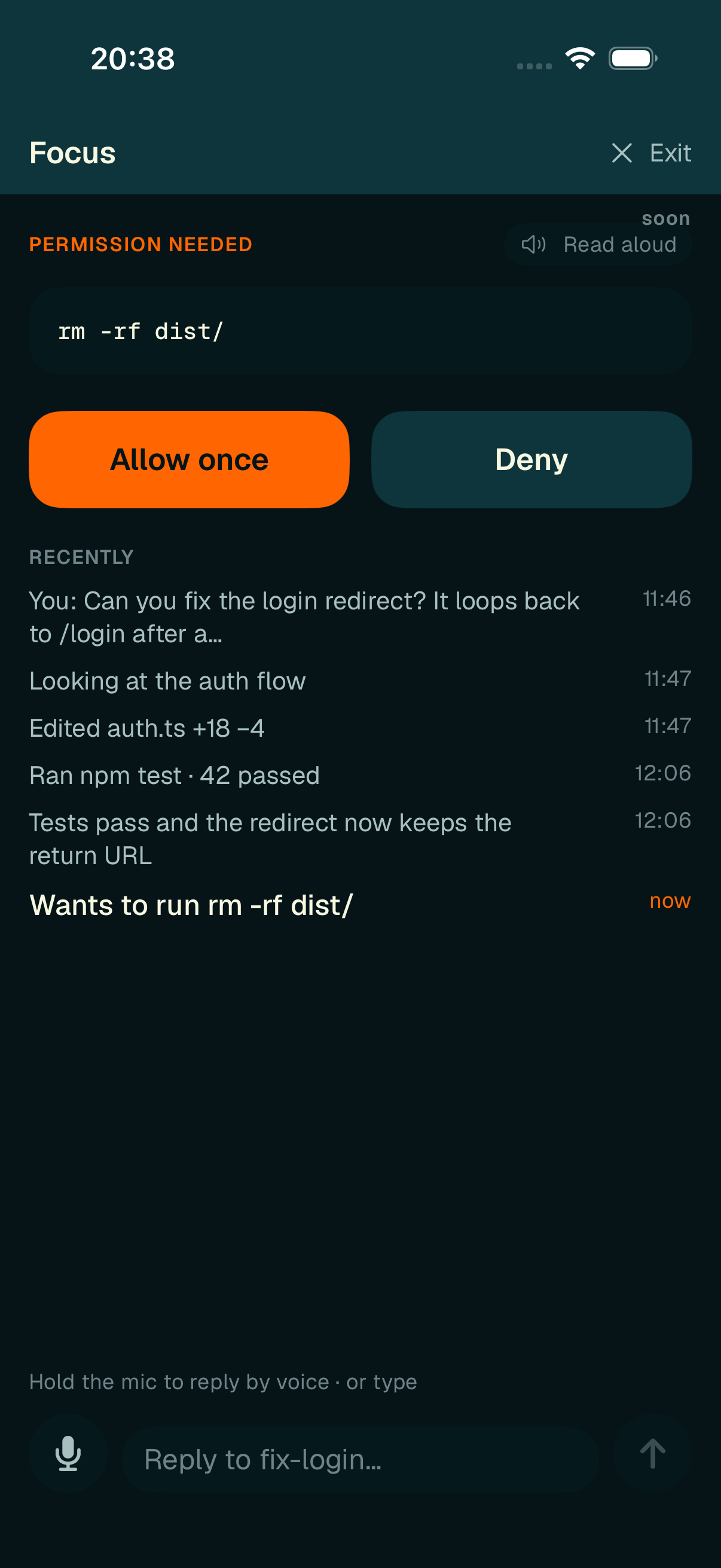
Focus mode pins the pending decision with large Approve / Deny buttons and a recent-activity timeline.
It pins the pending permission ask front and center with large Allow once / Deny buttons, shows a condensed Recently timeline of what just happened, and keeps the reply bar handy. (Spoken read-aloud is a labeled "soon" feature.)
Voice replies
Both the chat compose bar and Focus mode support push-to-talk: hold the mic to record, release to stop, and your speech drops into the field as editable text.
A quick tap of the mic (instead of a hold) just focuses the field so you can use the system keyboard's dictation key.